Coupon Code Extended: Use PASTORTHANKS for 15% off your next $50+ purchase—Ends Oct. 25. Shop now or call 888-670-3148.

Share the Heart of Your Message with Sermon Illustrations

You pray for your words to go from the congregation's head to their heart. Often, it's a relatable story or metaphor that helps it click. Logos has all the tools you may need to find just the right one.

sermon illustration for understanding the Trinity

Avoid the Hurdles of a Heavy Preaching Calendar

Every tool and resource in Sermon Builder is designed to chip away at the busy work of writing and preaching prep. No more starting from scratch each week. And ultimately, helping you stay out of a writing rut by clearing hurdles every pastor encounters at one time or another.
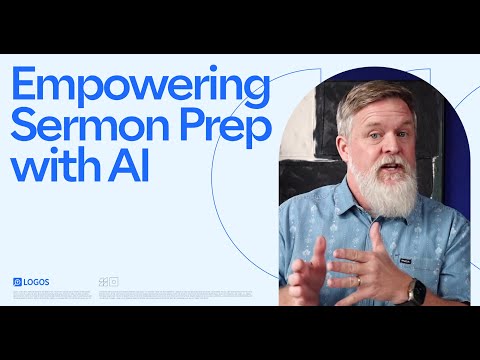
  1. Log in with your account and open Sermon Builder from the Tools menu.
  2. Select the Assistant icon near the top right.
  3. In the Assistant panel, add as much detail as you'd like for an illustration, application questions, and more.
  4. Click Generate, scroll through the results, and edit it to fit your congregation.

Flesh Out Your Sermons with Ease

  1. 01
    Develop outlines for your sermon with accompanying sources
  2. 02
    Manage your whole preaching calendar and sermon library
  3. 03
    Easily refer back to versions of your drafts
  4. 04
    Create slides, handouts, and small group questions
  5. 05
    Import notes and quotes directly from your library

Frequently Asked Questions

01
Can Logos help me come up with a sermon illustration?

Absolutely, yes! Sermon Assistant allows you to enter a topic, passage, or concept to generate ideas for illustration ideas. You can even tailor these ideas by audience and tone.

02
What if I'm struggling to come up with a relevant illustration?
Centuries of faithful preachers have run into this same challenge. That’s why we’ve built Sermon Assistant to help you come up with fresh ideas based on your context. In addition, many pastors and theologians have compiled sermon illustration reference books to assist pastors!


All Logos subscriptions give you access to books on sermon illustrations, quotes for preachers, sermon research and outlining tools: 
shop sermon illustration titles.

03
How does Sermon Assistant work?
Sermon Assistant leverages artificial intelligence in a controlled setting for idea generation. Illustration mode takes your custom prompt and selected settings to generate starter illustration ideas. For best results, describe the concept you want to illustrate in 150 characters or less.

Note: The accuracy and usefulness of generated results should always be examined and adapted to your audience and personal experience.
04
Are Sermon Builder and Sermon Assistant free to use?
Sermon Builder and Sermon Assistant are available in Logos Pro and Max subscriptions. You can try them out with a 30-day free trial.

05
Is it important to have a sermon illustration in every message?
Every pastor has their own personal convictions about the most effective way to communicate to their congregation. While illustrations aren’t a requirement to faithfully deliver the Word of God, visual illustrations, metaphors, and parables are used throughout Scripture to connect God’s people to his promises and his character.
06
What if I'm uncomfortable with an AI feature analyzing my intellectual property?
Generating context-aware sermon questions requires sending your sermon text to an artificial intelligence model. However, we have specific agreements in place with our LLM vendors that they are not allowed to store or train on any data sent to them from the Logos ecosystem. We are committed to always safeguarding the personal property of our community.
07
Does using AI for sermon illustrations get in the way of the work of the Holy Spirit?
In short, no, not necessarily. We entrust all of the tools and features in our platform for users to treat them responsibly and with prayerful conviction. Ultimately, we trust in God’s sovereignty in how he communicates to his people in every generation.

Anywhere we leverage AI on the platform, we will give clear notice to our users that it should be vetted, verified, and contextualized to fit your needs.